

Get Found. Stay Found.
Presstack finds what stops you getting traffic. You approve any fixes, or let her just get on with her background ones. Titles and descriptions that earn clicks, internal links that connect pages, and a daily check so nothing breaks quietly.

Being Indexed Does Not Mean Getting Found By Potential Customers.
A page can sit in Google's index for months and earn no clicks. The title is weak, nothing on the site links to it, and when it slips nobody notices.
Most tools hand you a report and leave you to act on it. Cleo finds the problem and works out the fix. She makes it when you say yes, and the next day's check confirms it held.
-
Titles And Descriptions
Cleo writes missing titles and descriptions and rewrites weak ones, with three options from different angles each time. Turn a set down and the next one avoids what you rejected. Search Console shows her which pages are seen often but rarely clicked, so you know where to start.
-
Linking Your Pages Together
Links go into the body text where the topic is already mentioned, not bolted on at the end. Orphan pages, the ones nothing links to, are found and connected with your approval. Name your most important page and she lists the articles that should link to it.
-
Staying In Google
Pages fall out of Google after a plugin update, a settings change or a stray noindex. The daily check spots pages that have been switched off from search and puts them back with your approval. When you publish or update a page, Presstack can tell search engines that use IndexNow straight away.
-
Found In The Right Towns
Cleo suggests the nearby towns your business can reach, adds the ones you pick to what Google is told about you, and lists the service and town pages you don't have yet.
A Real Site. Every Issue Found, With A Fix For Each.
This is a real WordPress site. What you see is what Cleo brings up the first time she reads a site, from titles that earn no clicks to broken links and pages that have been switched off from Google.
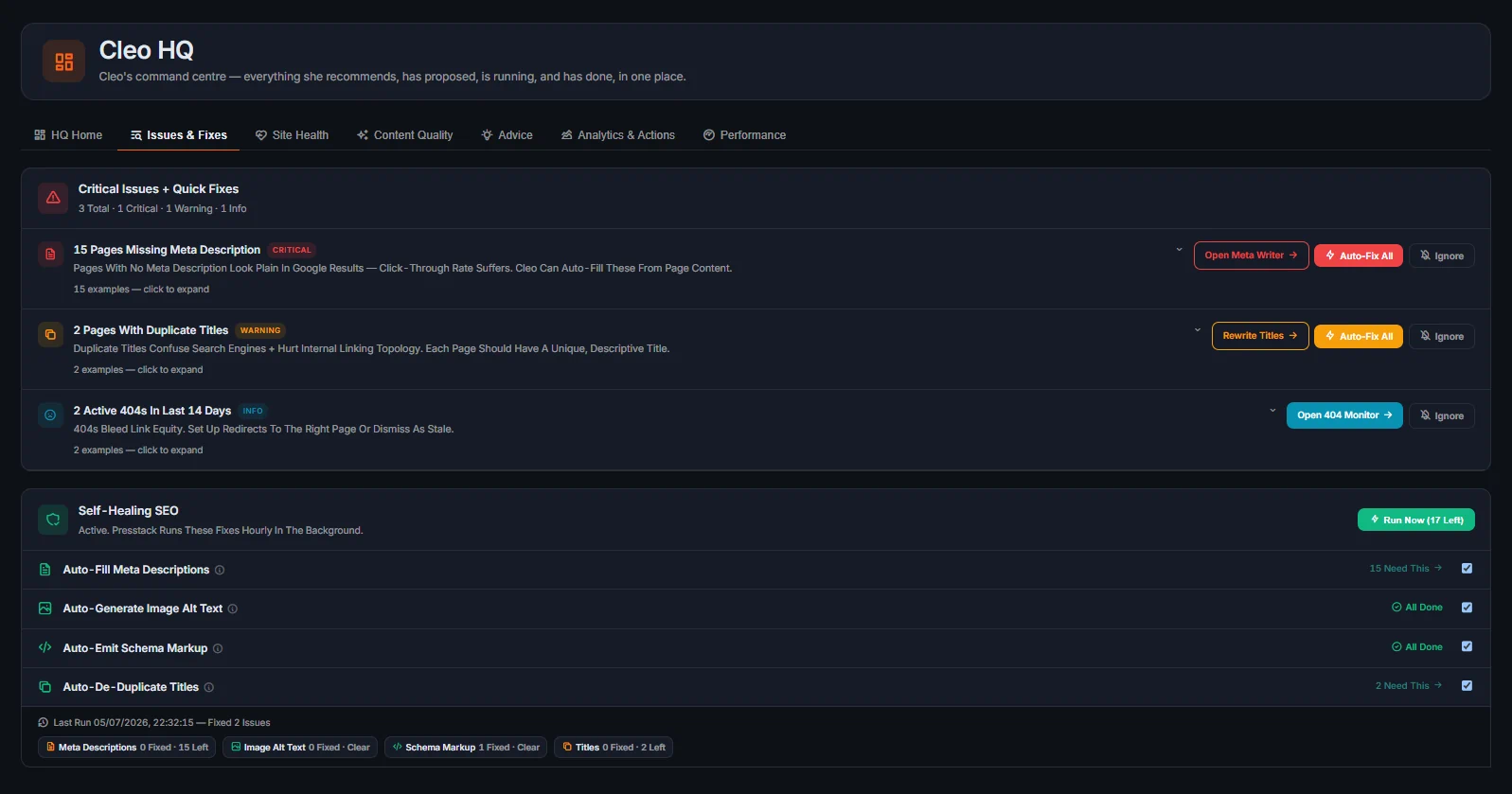
Critical Issues
Problems costing you visibility right now: duplicate titles, pages switched off from Google, redirect chains, orphan pages with no internal links, and missing descriptions on key pages.
Auto Fix
For the areas you've set to Automatic, Cleo makes the fix herself. Everything else waits for your yes. Each fix is logged, and the next day's check confirms it held.
Rewrite Suggestions
When a title or description needs a decision, Cleo offers three options from different angles. You pick one or turn them all down. Nothing goes live without your say-so.
Signal Monitoring
Titles, descriptions, internal links, redirects and indexing settings are checked every day. Cleo notices when something changes and fixes it or brings it to you.
Full Audit Log
Every change Cleo makes is listed with the date, so you always know what changed and when. Changes to pages, posts, products and images can be undone for 30 days.

Just Four Steps From First Scan To Confirmed Fix.
Most SEO tools produce a list and leave you to work through it. Cleo follows a set sequence: Scan, fix what you have allowed her to, bring you the rest, confirm it held the next day, and log every action with a date. It runs every day on every site you connect.
-
Step 1. The First Scan
Cleo checks the site with a set of audits: Whole site, single page, technical, launch readiness, accessibility, image search, video search, multi-country, link-text variety and author details. After that, the daily check keeps watching.
-
Step 2. What She Fixes Herself
Switch Behind The Scenes Fixes and Search Listings to Automatic and she writes missing titles and descriptions, adds image descriptions and schema, redirects broken links and straightens redirect chains without asking. Leave them on 'Ask Me' and each one comes to you as a one click fix.
-
Step 3. What She Brings To You
Anything that changes what your pages say comes to you clearly described, with the fix worked out. For titles and descriptions, three options to choose from.
-
Step 4. The Log, With A Date On Every Entry
Every action Cleo takes is recorded with the date. You can see what changed and when. It is the audit trail for your own site and, for agencies, evidence you can show a client.
Getting Found On Google Takes More Than A One Off Report.

Titles And Descriptions
Cleo writes missing titles and descriptions and rewrites weak ones, with three options from different angles each time. Turn a set down and the next one avoids what you rejected.
See Site Health
Internal Linking
Cleo puts links inside body text where the topic is already mentioned, not in a block at the bottom of a page. Orphan pages are found and connected, and she lists the articles that should link to your most important pages.
How It Works
Broken Links And Redirects
A link to a page that no longer exists is found within a day, not the next time someone runs a report. A redirect that points at another redirect is pointed straight at the final page. Cleo works with your existing page builder; she doesn't move you off it.
See Site Health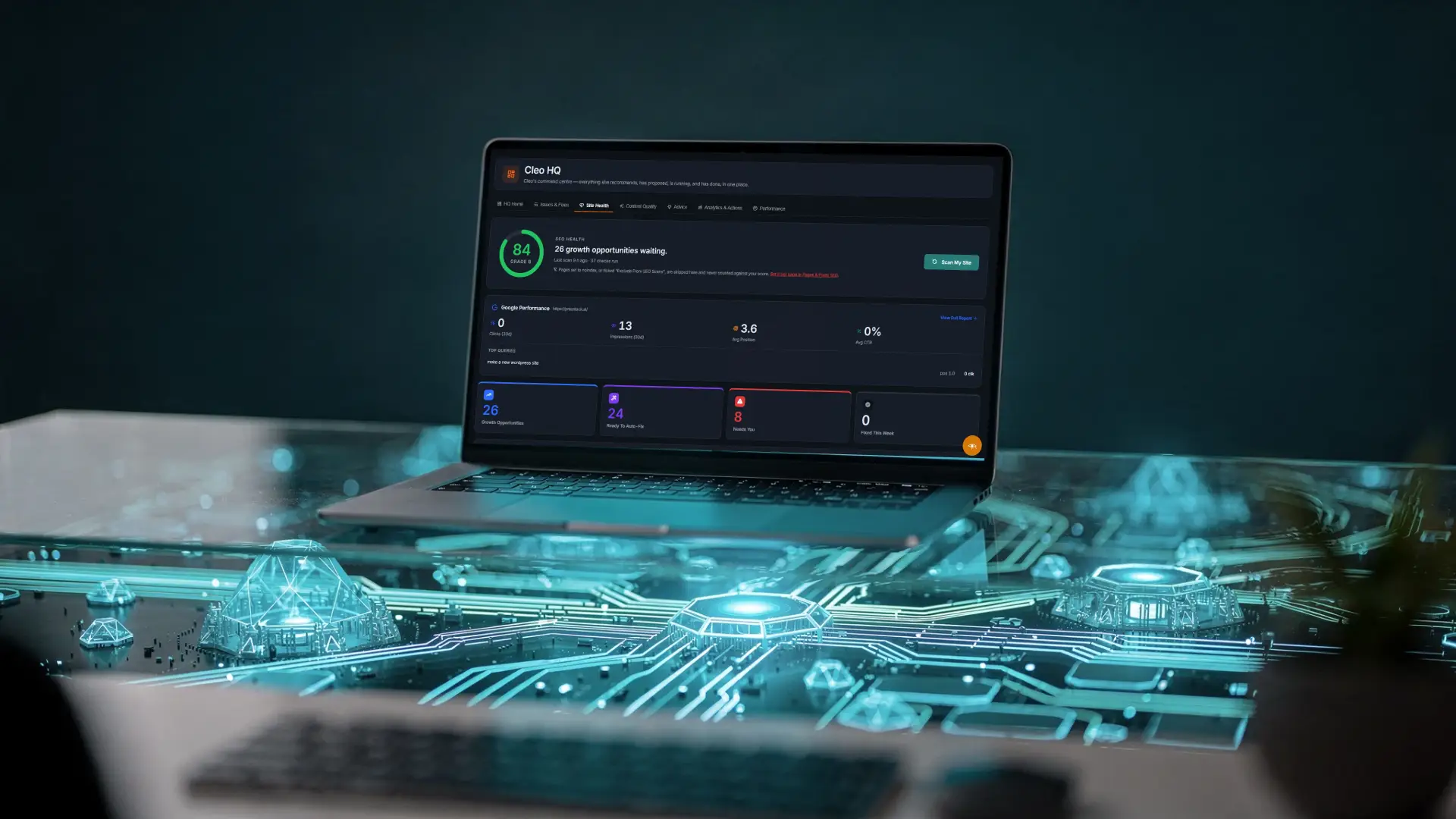
Ten Audits
Whole site, one page, technical, launch readiness, accessibility, image search, video search, multi country, link text variety and author details. If you're new to a site, start with the whole site audit.
See The Checks
What's Keeping Your Site Off Google?
Presstack reads your site and shows you what's holding it back: Weak titles, broken links, missing local details, pages switched off from Google. You see it in one list, and Cleo fixes what you approve.