

Tell Cleo About Yourself Once. Everything Else Runs On It.
It's all about you. Who you are, what you do, where you work, who works for you and how you sound. Cleo drafts most of it from your own website. Everything she writes, checks, and tells Google comes from here.

AI Content Can Read Like A Generic Wall Of Text. Yours Doesn't.
When AI writes about a business it doesn't know, the copy could belong to anyone. The knowledgebase changes that by making the AI all about you.
It holds your facts, your services, your places, your people, and how you sound. Everything Cleo produces is drawn from it. A section left empty stays empty. She won't fill it with guesswork, so the more you give her, the more precisely she writes.
-
Cleo Drafts It From Your Site
Press 'Let Cleo Fill It In' and she reads your home page and key pages, then drafts your description, services, selling points, areas, audience and voice. Only empty fields are filled, and nothing is kept until you press save.
-
The Gaps That Matter Most, First
Each week Cleo lists what is still missing, most useful first, with a line on what each gap is holding back. You fill the field that makes the biggest difference, not whichever sits at the top of the form.
-
Built As A Graph, Not A Guess
Schema that lists every branch, every service and every person become linked entries Google can read, using the most precise type available. Where no standard type fits, Cleo suggests a reference on Wikipedia or Wikidata and checks it exists before using it.
-
A Nudge Before It Goes Stale
When the knowledgebase hasn't been touched for a while, Cleo asks you to check it. New hours, a new service or someone new on the team gets recorded before the next piece of writing goes out.
Where Everything About The Business Lives.
The Knowledgebase as it opens. Hover a marker to see what each section covers.
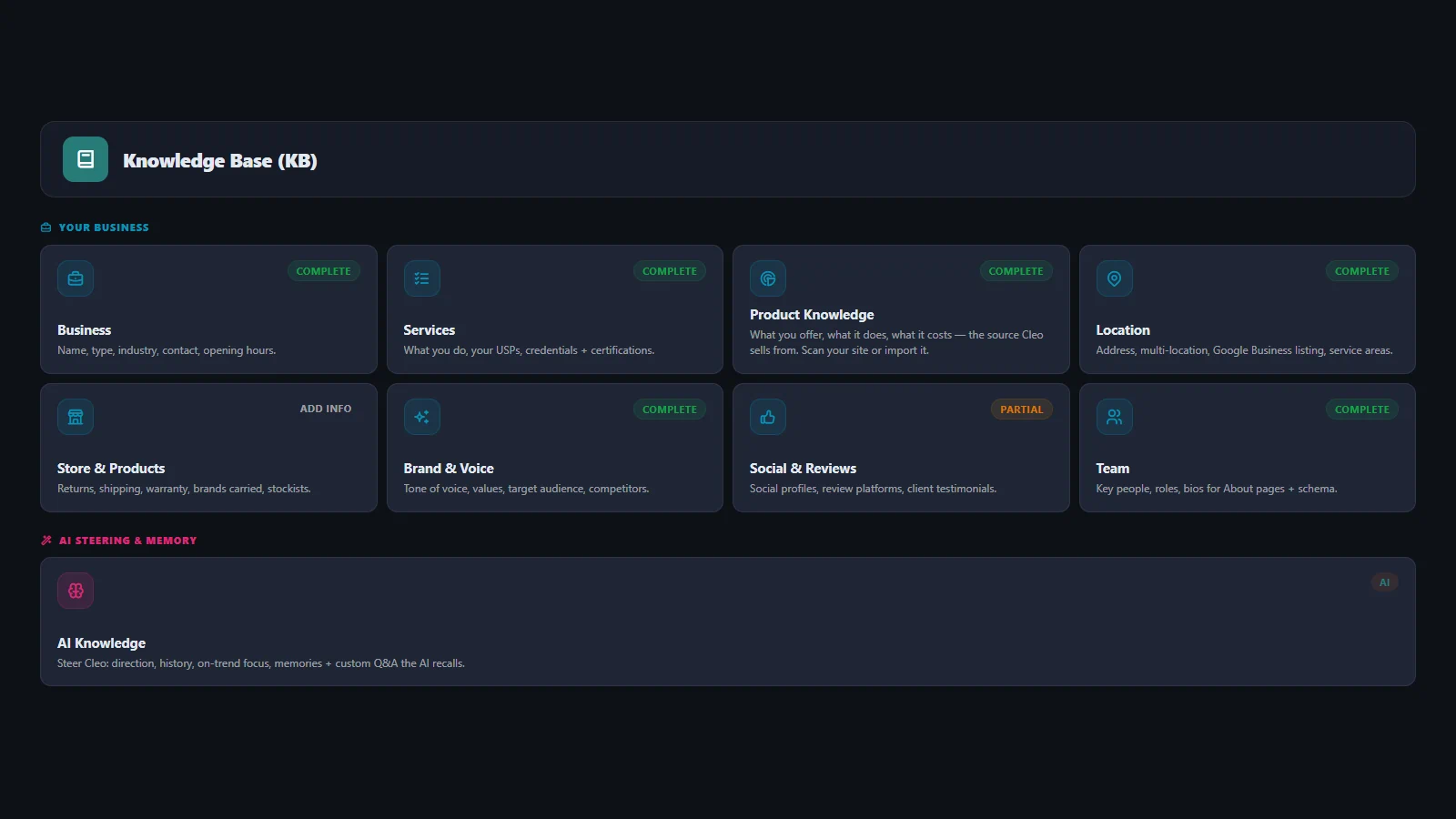
Business
Trading name, registered name, company type, industry, the year you started, company number, contact details and opening hours. The core facts every other section refers back to.
Services
Each service with its own description, what sets it apart, your credentials and the bodies that accredit you. What Cleo draws on when she writes about what you do, and what Google is told you offer.
Product Knowledge
What you sell, what it does and how it is used. A shop with this filled in gets product copy that is about the product, not a template reworded around a name.
Location
Your address, map position, Google listing and every town and country you work in. Paste your Google listing link and the address, map position and phone fill themselves. One branch or many, each with its own address, phone, hours and page.
Brand And Voice
How you sound, your values, who you write for and who you compete with. A ten-question interview sets the baseline, and you can fine-tune every line of it afterwards.
Social And Reviews
Your social accounts and your profiles on 36 review and directory sites, from Trustpilot and Yelp to Checkatrade, Yell and Clutch. Outside ratings are linked the approved way, never republished as your own.
Team
Who works for you, their role, what they are registered as, the body that registered them and their number. It turns a byline into a claim anyone can check.
AI Knowledge
Where the business has been, where it is now and where it is heading, what to lean toward, and the facts that must be right every time. Cleo uses it to steer what she writes, not to recite it.

Five Steps From Blank Form To A Business Google Can Read.
You don't need every section before Cleo starts. Begin with what she drafts from your site, then add what only you know. Every section shows its own status, so you always know what is left.
-
Step One: Let Cleo Fill It In
She reads your website and drafts the description, services, selling points, areas served, audience and voice. You check each one and change anything that is not right.
-
Step Two: Add What Only You Know
Your address and branches, opening hours, your team and their registrations. Paste a Google listing link and the address, map position and phone come in for you.
-
Step Three: The Voice Interview
Ten questions about how the business talks. Cleo turns the answers into the voice she writes in, with the words you use, the ones you never use, and what makes you different.
-
Step Four: Cleo Builds The Graph
As sections fill in, Cleo turns them into the linked description Google and AI assistants read. You never build it by hand, and it moves with your business when you edit.
-
Step Five: It Stays Current
Your Google and shop reviews are pulled in, Cleo lists any gaps each week, and she asks you to check the knowledgebase when it has not been touched for a while.
The Knowledgebase In Depth.

Filling It In
The same prompt, run with a complete Knowledgebase and then without one. The difference in output is obvious.
Content
AI Search
Whether ChatGPT, Gemini or Claude can say anything accurate about you depends almost entirely on what lives here.
AI Search
Getting Found On Google
What search engines are told about your business is built directly from these fields.
Getting Found
Building Pages
She compares the services and areas you have listed against the pages you have actually got.
Page Building
Tell Her Once, Or Get Generic Copy Forever.
Put it on your own site and press Let Cleo Fill It In. Check what she drafts, ask for an article, then look at what Google is told about your business.